Works with Brave Browser which is a Chromium based browser.
https://www.autohotkey.com/download/1.1/AutoHotkey_1.1.37.02_setup.exe
#NoEnv ; Recommended for performance and compatibility with future AutoHotkey releases.
; #Warn ; Enable warnings to assist with detecting common errors.
SendMode Input ; Recommended for new scripts due to its superior speed and reliability.
SetWorkingDir %A_ScriptDir% ; Ensures a consistent starting directory.
Menu, Tray, Icon, yt.ico
; --- Configuration Area ---
#SingleInstance Force
SetTitleMatchMode, 2
ScrollLockActive := 1
BlockedURLPatterns := ["youtube.com/watch?v="
, "twitch.tv/"
, "netflix.com/watch"]
Pause::
ScrollLockActive := !ScrollLockActive
TrayTip, Scroll Lock, % "Site Lock: " . (ScrollLockActive ? "ON" : "OFF"), 2
return
#If (ScrollLockActive && IsOverBraveAndBlocked(BlockedURLPatterns))
WheelUp::return
WheelDown::return
#If
IsOverBraveAndBlocked(URLArray) {
MouseGetPos,,, WindowIDUnderMouse
WinGet, processName, ProcessName, ahk_id %WindowIDUnderMouse%
if (processName != "brave.exe") {
return false
}
currentURL := GetURL2("ahk_id " . WindowIDUnderMouse)
for index, pattern in URLArray {
if InStr(currentURL, pattern)
return true
}
return false
}
GetURL2(wTitle*) {
if !(wId := WinExist(wTitle*))
return
IUIAutomation := ComObjCreate("{ff48dba4-60ef-4201-aa87-54103eef594e}", "{30cbe57d-d9d0-452a-ab13-7ac5ac4825ee}")
DllCall(NumGet(NumGet(IUIAutomation+0)+6*A_PtrSize), "ptr", IUIAutomation, "ptr", wId, "ptr*", elementMain)
NumPut(addressbarStrPtr := DllCall("oleaut32\SysAllocString", "wstr", "Address and search bar", "ptr"),(VarSetCapacity(addressbar,8+2*A_PtrSize)+NumPut(8,addressbar,0,"short"))*0+&addressbar,8,"ptr")
DllCall("oleaut32\SysFreeString", "ptr", addressbarStrPtr)
if (A_PtrSize = 4)
DllCall(NumGet(NumGet(IUIAutomation+0)+23*A_PtrSize), "ptr", IUIAutomation, "int", 30005, "int64", NumGet(addressbar, 0, "int64"), "int64", NumGet(addressbar, 8, "int64"), "ptr*", addressbarCondition)
else
DllCall(NumGet(NumGet(IUIAutomation+0)+23*A_PtrSize), "ptr", IUIAutomation, "int", 30005, "ptr", &addressbar, "ptr*", addressbarCondition)
DllCall(NumGet(NumGet(elementMain+0)+5*A_PtrSize), "ptr", elementMain, "int", 0x4, "ptr", addressbarCondition, "ptr*", currentURLElement)
DllCall(NumGet(NumGet(currentURLElement+0)+10*A_PtrSize),"ptr",currentURLElement,"uint",30045,"ptr",(VarSetCapacity(currentURL,8+2*A_PtrSize)+NumPut(0,currentURL,0,"short")+NumPut(0,currentURL,8,"ptr"))*0+¤tURL)
ObjRelease(currentURLElement), ObjRelease(elementMain), ObjRelease(IUIAutomation)
return StrGet(NumGet(currentURL,8,"ptr"),"utf-16")
}
Month: January 2026
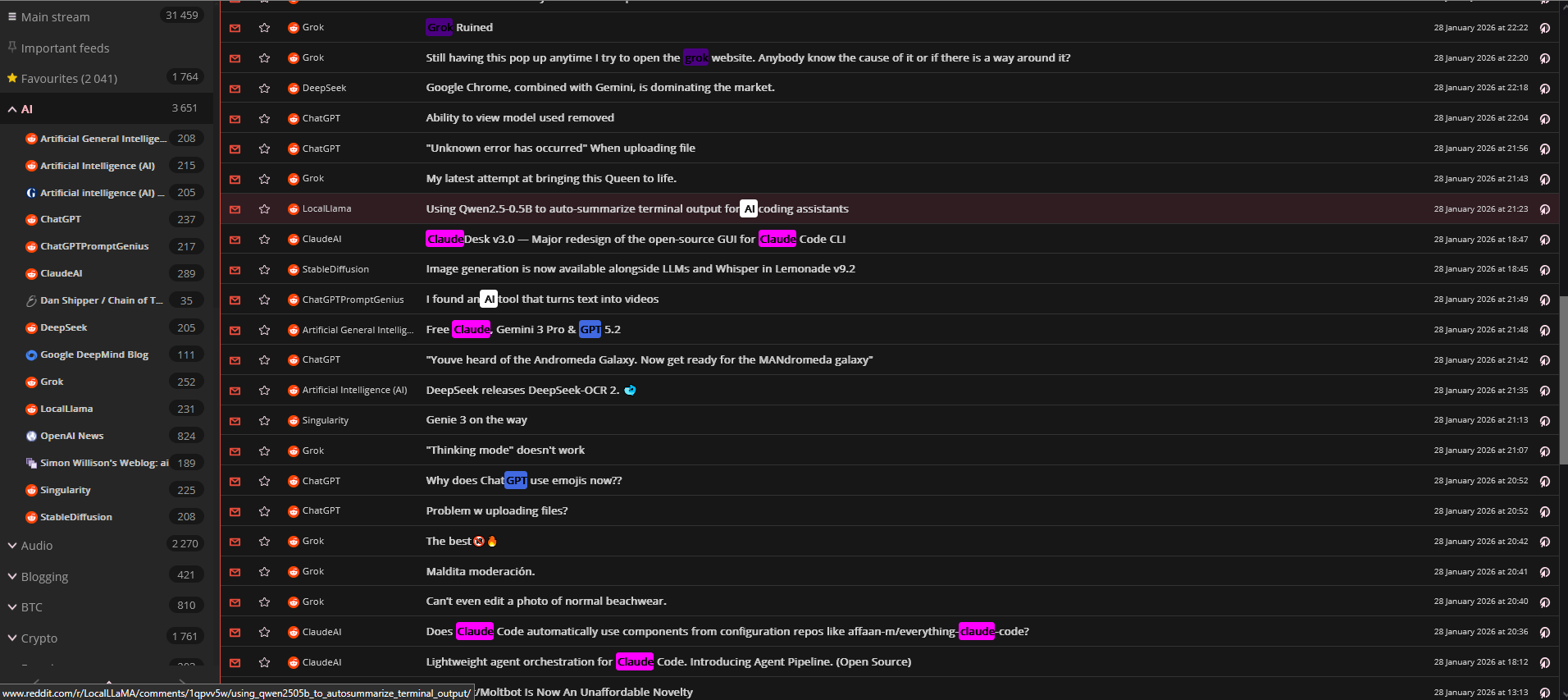
FreshRSS WordHighlighter modified for multiple colors
Here is the FreshRSS WordHighlighter extension that has been modified to allow multiple custom colors
https://sbmesh.com/xExtension-WordHighlighter.zip
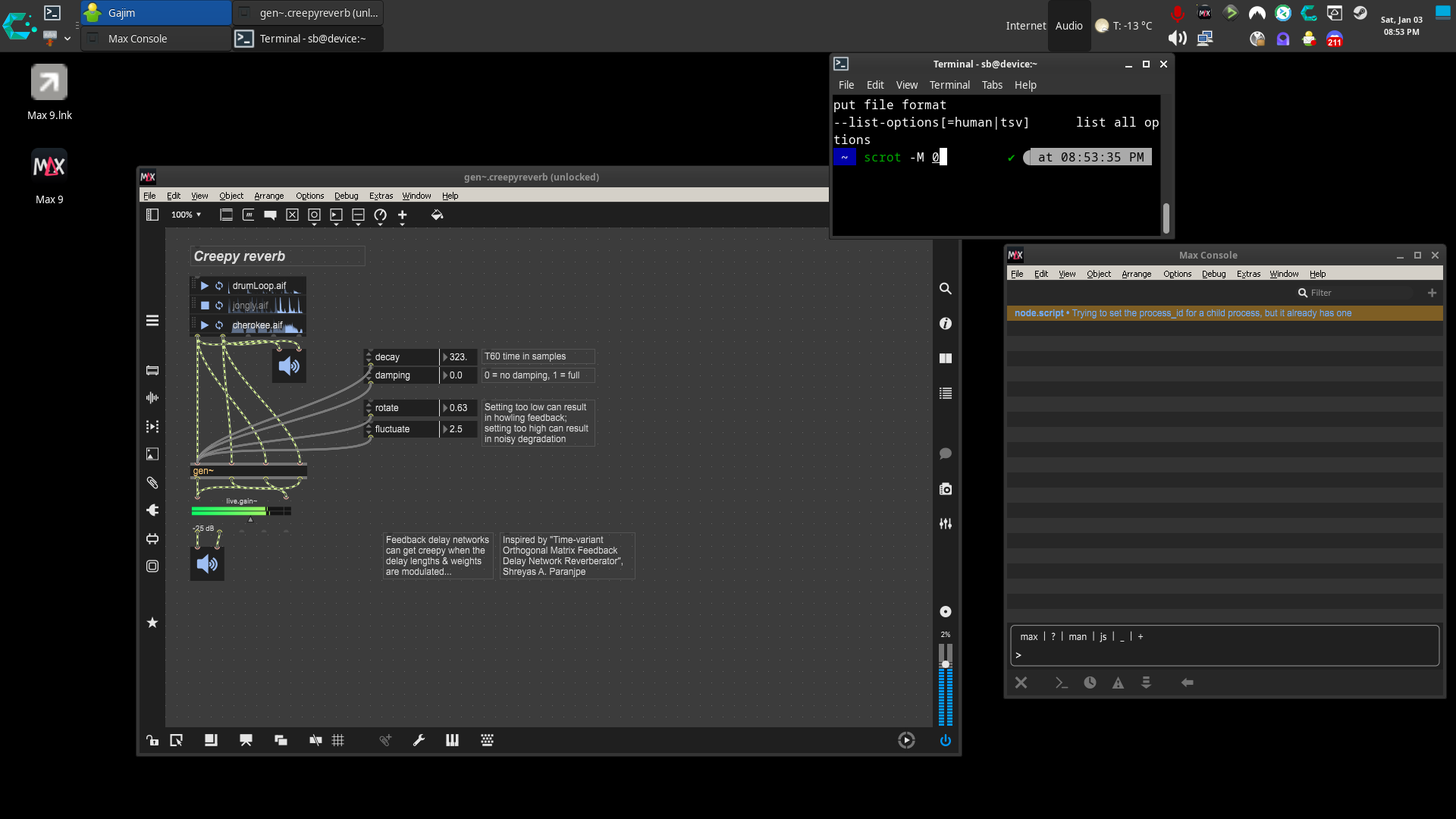
What I had to do to get Cycling 74 Max 9 running on Linux CachyOS
create a clean 64-bit prefix
WINEARCH=win64 WINEPREFIX=/home/sb/Games/max9 wineboot -u


WINEPREFIX=/home/sb/Games/max9 winetricks -q vcrun2022 corefonts gdiplus


WINEPREFIX=/home/sb/Games/max9 winetricks -q dxvk
Install Max:
WINEPREFIX=/home/sb/Games/max9 wine Max912_251211_07b9c4c.msi


Launch Max:


WINEPREFIX=/home/sb/Games/max9 \

__GLX_VENDOR_LIBRARY_NAME=nvidia \

__EGL_VENDOR_LIBRARY_FILENAMES=/usr/share/glvnd/egl_vendor.d/10_nvidia.json \

wine "/home/sb/Games/max9/drive_c/Program Files/Cycling '74/Max 9/Max.exe"
create launcher script:
mkdir -p ~/bin

cat > ~/bin/max9.sh <<'EOF'

#!/usr/bin/env bash

set -euo pipefail


# ---- Paths ----

export WINEPREFIX="/home/sb/Games/max9"

MAX_EXE="C:/Program Files/Cycling '74/Max 9/Max.exe"


# ---- NVIDIA GLVND/EGL selection ----

export __GLX_VENDOR_LIBRARY_NAME="nvidia"

export __EGL_VENDOR_LIBRARY_FILENAMES="/usr/share/glvnd/egl_vendor.d/10_nvidia.json"


# Optional: keep wine output cleaner

# export WINEDEBUG="-all"


# ---- Run ----

exec wine "$MAX_EXE"

EOF


chmod +x ~/bin/max9.sh
create .desktop file:
cat > ~/.local/share/applications/max9.desktop <<'EOF'

[Desktop Entry]

Type=Application

Name=Max 9 (Wine)

Comment=Cycling '74 Max 9 using Wine prefix /home/sb/Games/max9

Exec=/home/sb/bin/max9.sh

Icon=wine

Terminal=false

Categories=AudioVideo;Audio;Development;

StartupNotify=true

EOF


update-desktop-database ~/.local/share/applications >/dev/null 2>&1 || true